












Why do workflows matter?
Bringing AI into real business processes takes more than a clever answer. You need to know what it will do, in what order, and what happens when something unexpected occurs.
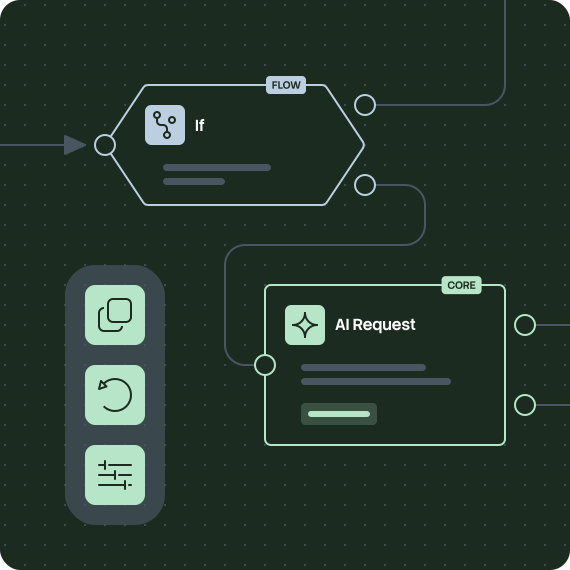
Echo7 workflows follow a defined path: checking conditions, asking for missing details, calling agents and handling exceptions. The result is automation that is repeatable, measurable and reliable.
Describe what you want and Echo7 builds the workflow, then adjust any step in the visual drag-and-drop editor, with no coding needed.
How a workflow runs
Each workflow follows a clear sequence, so every request is handled consistently – and nothing falls through the cracks.
01
Evaluate
Conditions are checked against your rules: who is asking, what they need and which channel they are using.
02
Gather
Missing information is requested from the user, and the relevant knowledge and data are retrieved.
03
Decide and act
Guided decisions are made and agents carry out the required operations in your systems.
04
Resolve or escalate
The final response is composed – or, if confidence is low, the case follows a safe fallback path or passes to a person.
What workflows give you
Standardised processes
Complex, multi-step processes run the same way every time, across departments and channels.
Human escalation
When a person is the better choice, the conversation is handed to your team with full context.
Safe fallbacks
Low-confidence decisions follow predefined safe paths instead of guesswork.
Knowledge, data and actions combined
One workflow can retrieve documents, query data, call integrations and present visual responses.
Reusable templates
Build a workflow once and reuse it across departments, customers and projects.
Fully auditable
Rules, decisions and escalation paths are explicit, so every automated process is traceable.


Governance built in
Every workflow sits inside Echo7’s governance model. Access controls ensure users only see and use what they are authorised to, and clients, departments and assistants can each have their own knowledge bases, integrations and processes.
Responses can combine deterministic content, up-to-date data and controlled AI rephrasing, so you decide where the assistant can use its own words and where it must follow approved wording. Agents, integrations and processes can be enabled, blocked or replaced over time, keeping you in control as your business evolves.
Why Echo7
More than a chatbot. Echo7 responds, decides, guides and acts – combining your knowledge, your data and real actions in one experience, with governed workflows behind every step.
"*" indicates required fields
Ask our assistant
Prefer to ask? Open the assistant and ask how Echo7 would work for you – you’ll get an answer straight away.
Call +44 333 3584 877
We’re here to answer your questions, explore new ideas with you, and help find the solution that best fits your needs.
Get the weekly AI briefing
AI news, practical ideas and Echo7 updates in one short email a week.
Frequently asked questions
Didn’t find your answer? Ask our assistant.
01
What is an AI workflow?
A workflow is a defined path the assistant follows to handle a request – checking conditions, collecting information, retrieving knowledge, calling agents and composing the answer – instead of improvising a free-form response. Just describe what you want it to do and Echo7 builds it for you, so anyone can create one – no coding experience required.
02
What happens when the AI isn't sure?
Low-confidence decisions follow safe fallback paths. The workflow can ask for clarification, apply a predefined response or escalate to a human operator.
03
Can workflows involve our team?
Yes. Escalation to human operators is built in, so cases that need a person reach the right team with full context.
04
Are workflows auditable?
Yes. Rules, decisions and escalation paths are explicit, which makes every automated process traceable.
05
Can we reuse workflows?
Yes. Workflows can be saved as reusable templates for different departments, customers and projects.
06
Can I use Workflows with private AI?
Yes. Workflows work the same whether Echo7 runs as private AI on your own infrastructure or in Echo7 Cloud, with the same rules, approvals and traceability. Find out about private AI.
07
What is a workflow in Echo7?
A workflow is a defined path Echo7 follows instead of responding freely. It checks conditions, calls on agents and knowledge in the right order, and hands over to a person when it isn’t confident. You build it in a drag-and-drop editor, with no coding.
08
How does a workflow route website enquiries?
Billing questions, faults, complaints and sales enquiries often arrive through the same chat. A workflow classifies each one and sends it to the right agent, team or answer, so nothing sits waiting in a shared inbox.
09
Can a workflow run a whole internal process?
Yes. For example, once a technician confirms a fault, a workflow can update the CRM, order the part and pass the transaction to accounting, using the integrations you’ve connected. Every step is logged.